

Required permission:
- Export Task
- View custom export
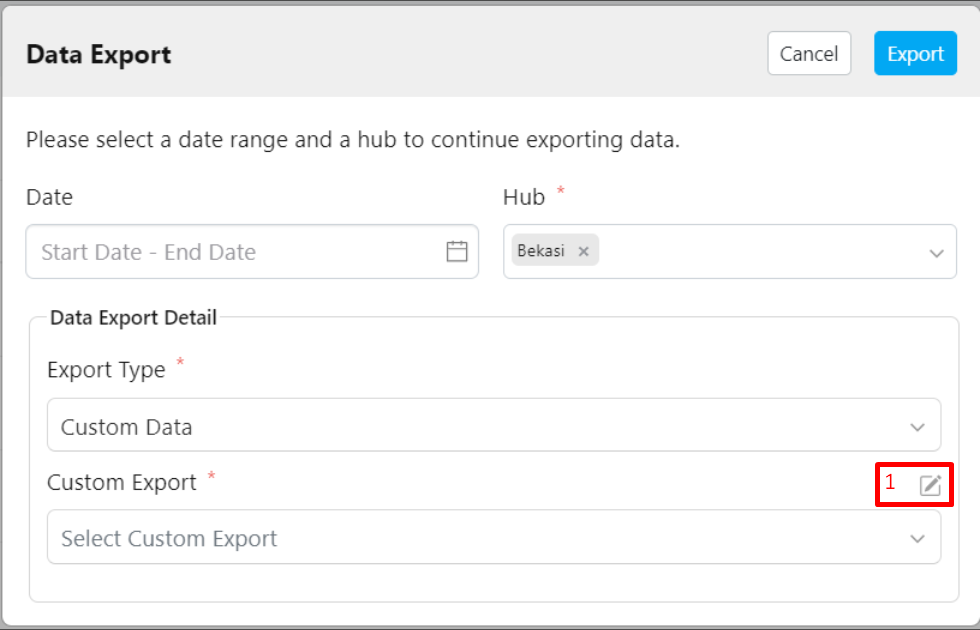
- Click the pencil icon (Custom Export Manager) located next to the Custom Export field.
- After clicking the pencil icon, the following view will appear.
- Click the eye icon in the Custom Export Manager to view the details.
- The details of your Custom Export, including the fields, will be displayed.