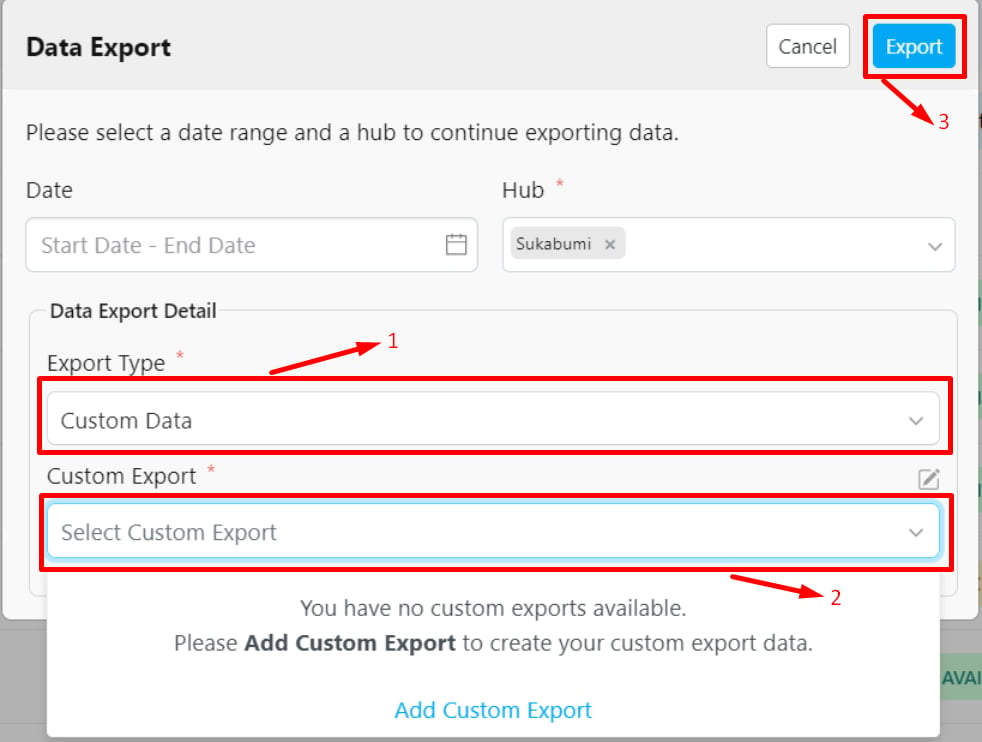
You can specify the data values that will appear in the exported file based on your specific requirements.
Required permission:
Export Task
View custom export
Steps to Export Custom Data:
Select “Custom Data” in the Export Type field.
Choose the Custom Export Template you want to use.
Click the Export button.
Your export file will be available for download once its status is marked as “Available.” You can check the status in the Data Export list view.Tip: If you don’t have a Custom Export template yet, you can create one first. Learn more about how to create a custom export.