

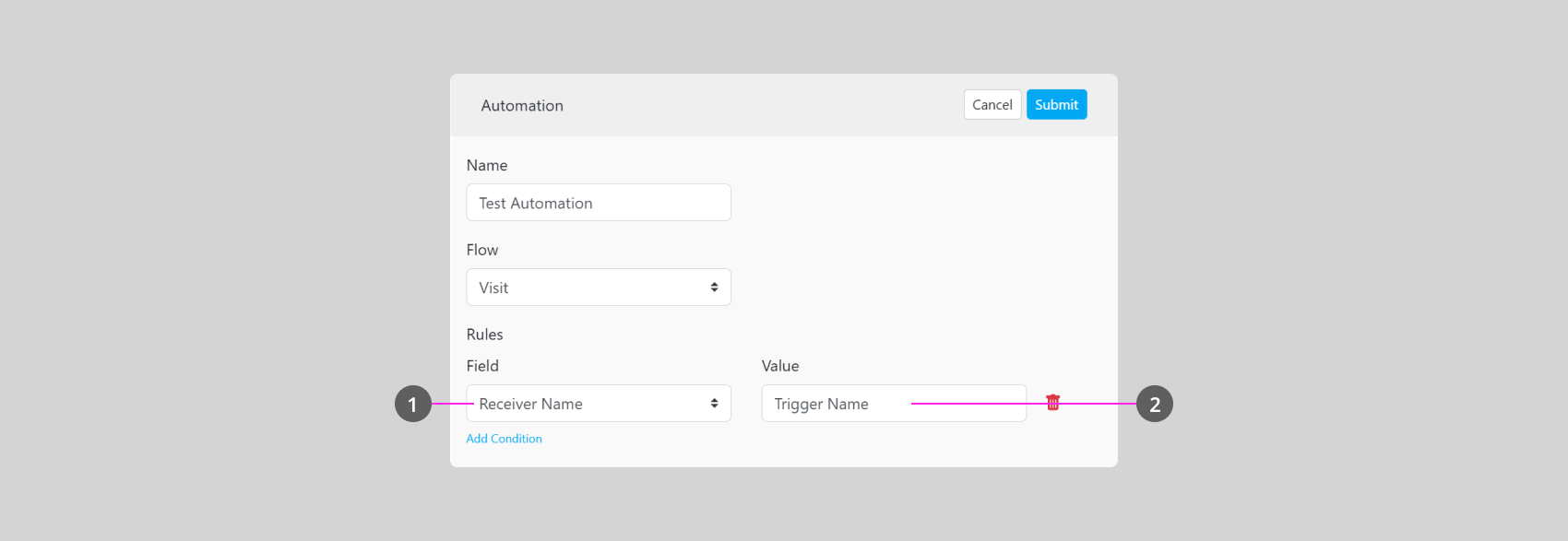
- This field will refer to the Component from the Flow setting that you have chosen as an added Trigger rule. In the example above, “Visit” is the selected Flow. Visit Flow’s selected component for this Rule is “Receiver Name”
- This field will define what Keyword or Option from the component will trigger the Automation. Automation will only trigger if the component Input or Selection in the Task matches the Value that you’ve set. In the example above, the Automation will only be triggered if the Receiver Name in the Task is “Trigger Name”
Automation Rules are optional. If you didn’t need them, you could leave them empty.