

Required Permission :
- View configuration
- Create configuration
- Edit configuration
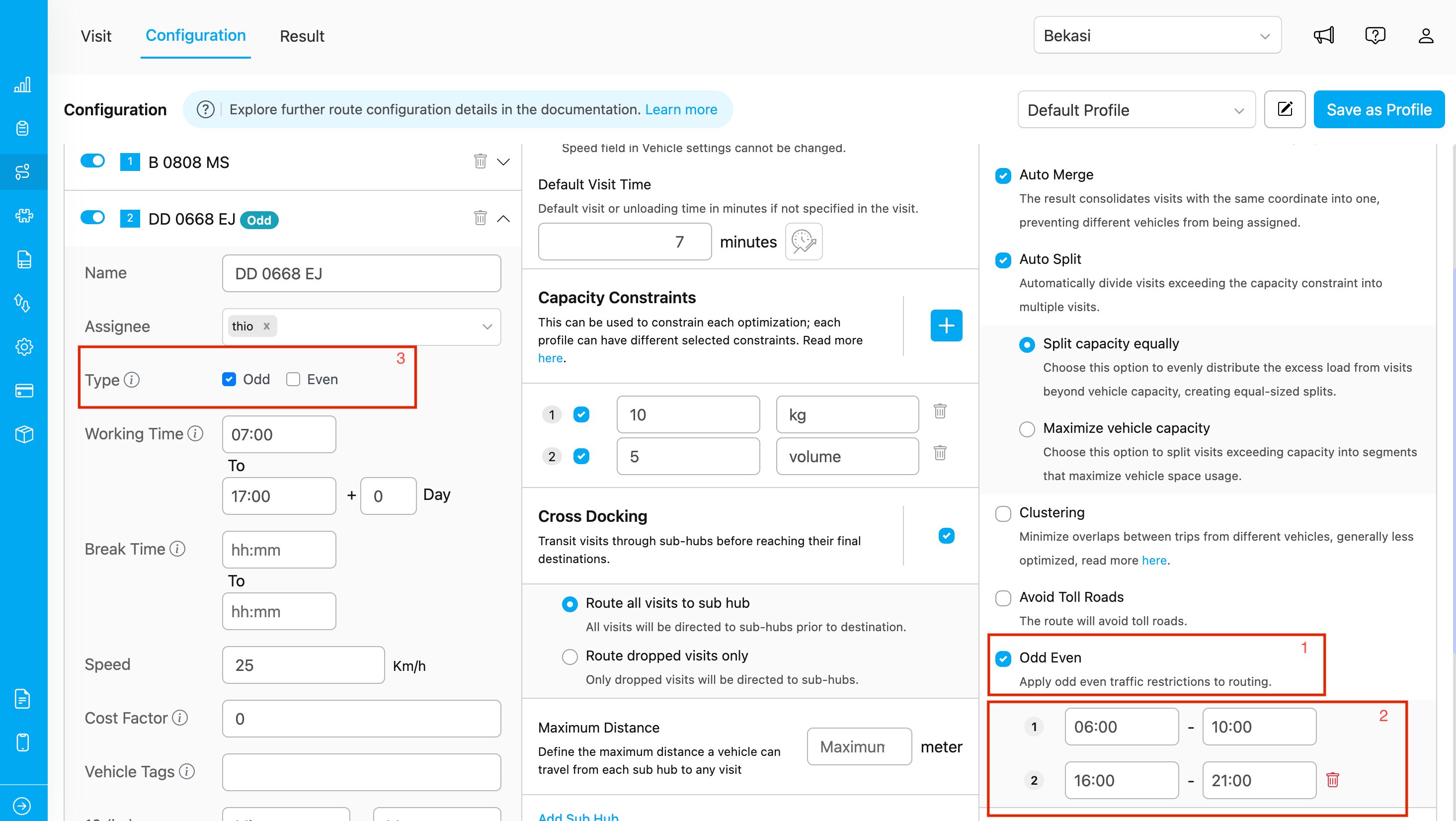
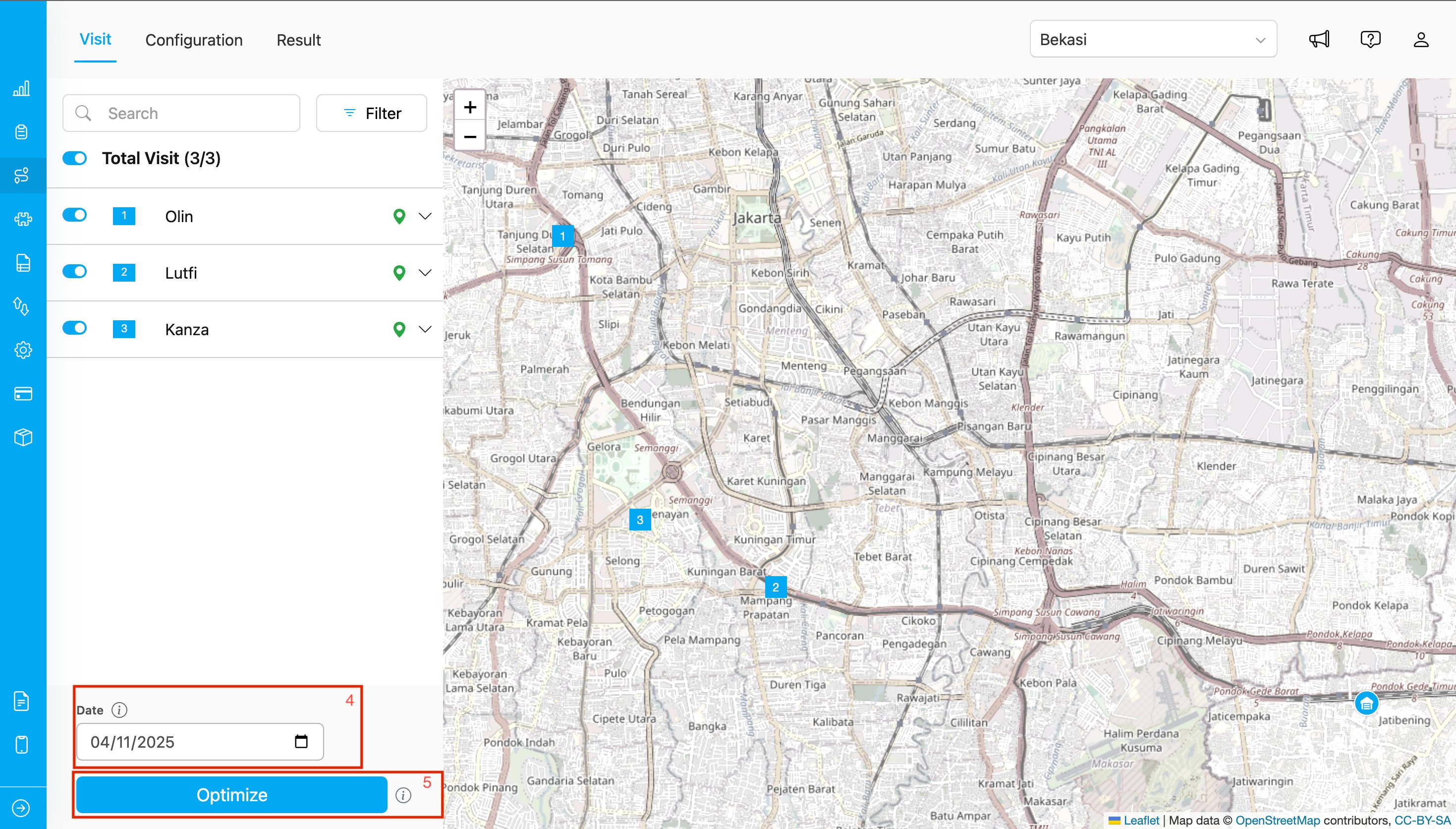
Routing VIsit Display
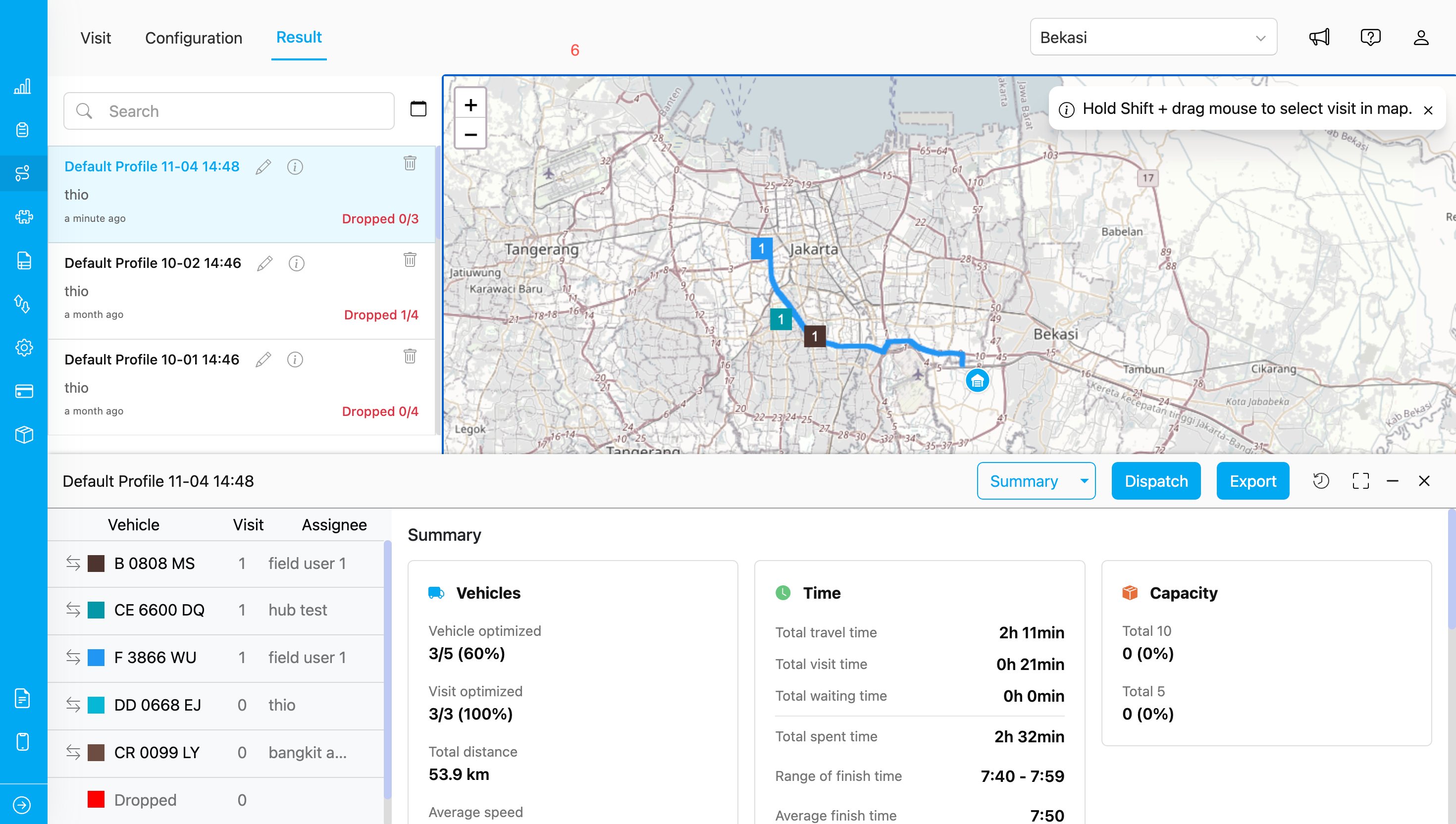
Routing Result Display
How to Use
- Go to Routing → Configuration and enable the Odd-Even Rule toggle.
- Set the time range when the odd-even rule applies, according to your operational needs.
- Define your vehicle type — whether it falls under the Odd or Even category based on the license plate.
- Select the date when the route will be executed to determine if the vehicle is allowed to pass through odd or even restricted roads.
- Click Optimize to run the route optimization process.
- The optimized route — considering odd-even restrictions — can be viewed under Routing → Result.
Notes
- Using this rule helps you generate routes that comply with Jakarta’s odd-even road policy.
- Once enabled, the setting will be saved for future routing processes and can be modified anytime as needed.
- The Odd-Even Rule currently applies only to roads within the Jakarta province, Indonesia.