

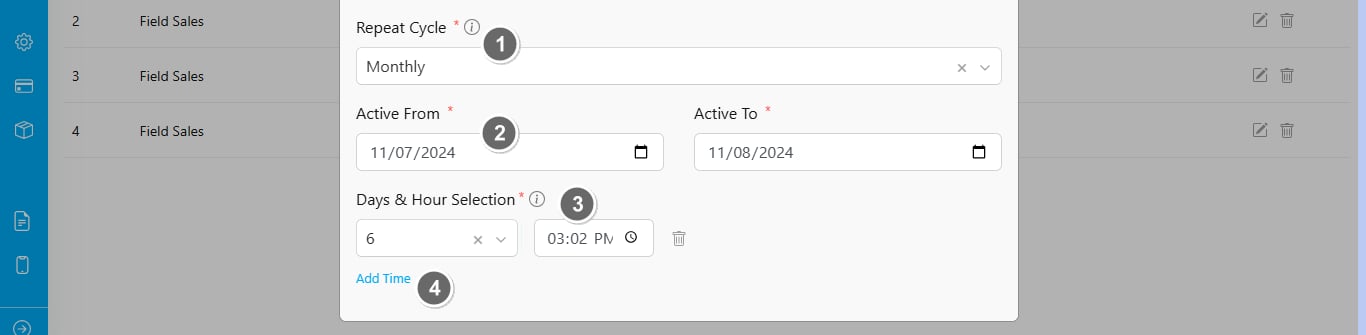
- Repeat type
- Schedule Active Duration: The schedule will only be active within the “Active From” and “Active To” dates. If the “Active From” date has not started, the schedule won’t be triggered automatically. Similarly, if the “Active To” date has passed, tasks will no longer be generated as the active duration has ended.
- Days & Hours Selection: Set the specific day(s) and time(s) of the month when this schedule will be activated, and tasks will be created.
- Add Time: You can add multiple activation days and times within the month, allowing the schedule to trigger tasks on various days at specified times.