

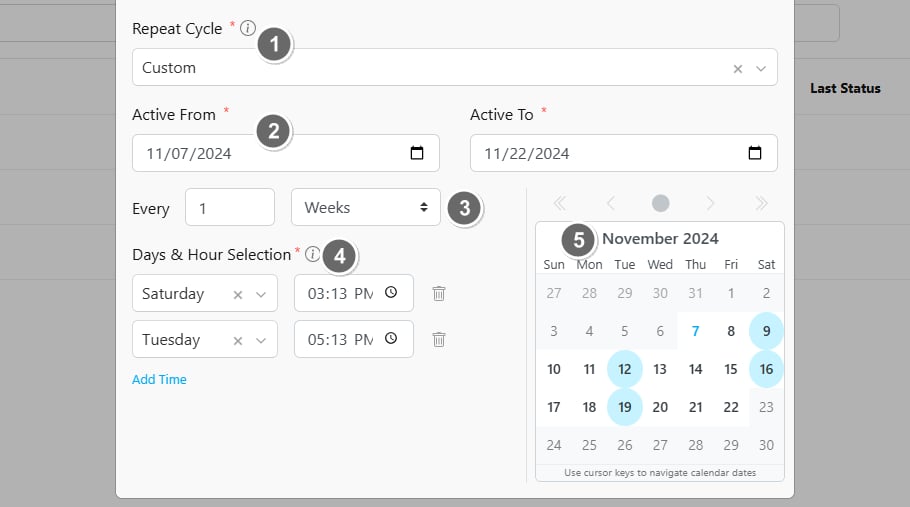
- Repeat Cycle Type: Select Custom.
- Schedule Active Duration: The schedule will only be active within the defined “Active From” and “Active To” dates. For instance, if the “Active From” date hasn’t arrived, the schedule won’t be triggered. Similarly, if the “Active To” date has passed, no further tasks will be created because the active duration has ended.
- Interval: Set the interval by entering a number and selecting a unit—“Days,” “Weeks,” or “Months.”
- Days & Hour Selection: Choose specific day(s) and time(s) within each interval for when the schedule will activate, and tasks will be generated.
- Calendar Preview: You can view a calendar showing the predicted schedule dates, highlighted in blue, to help you visualize when tasks will run.