

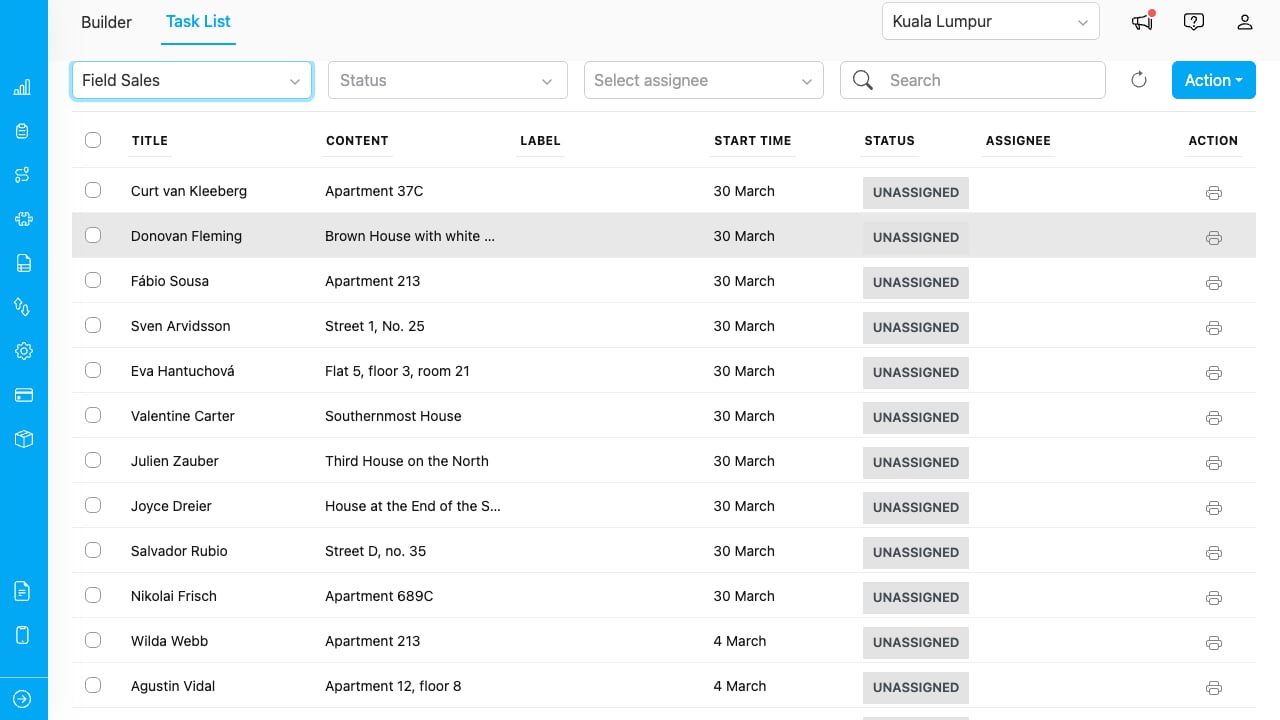
The Task List showing tasks for the Field Sales flow.
Selecting a Flow
Choose a flow from the dropdown at the top of the page. Tasks for that flow load in the table below.You must select a flow before tasks appear. The dropdown shows all flows available to your organization.
Filtering Tasks
Use the filter controls above the task table to narrow down results.
Filters can be combined. For example, select a flow, set Status to “Done”, choose an assignee, and type a search term — all filters apply simultaneously.
Click the refresh button (arrow icon) to reload tasks while preserving your current filters.
Printing from the Task List
Single Task
- Click the printer icon on any task row to print that task. See Printing and Exporting for details.
Multiple Tasks
- Check the checkboxes next to the tasks you want to print.
- Click the Action dropdown and select Print.
- Choose a saved template.
- Use the Multi-Print modal to preview and export. See Printing and Exporting for details on separate vs combined PDF export.