

- The visit’s coordinates are outside valid ranges or incorrectly formatted. Verify that the latitude is between -90 and 90, and the longitude is between -180 and 180. Correct any errors in the coordinate values.
- The visit’s capacity requirement surpasses the maximum capacity of all available vehicles. Review the capacity constraints set for the visit and the vehicles. Ensure that there is a vehicle with sufficient capacity to accommodate the visit.
- The visit’s time window does not align with the working hours of any available vehicles. Check the open and close times for the visit and the working hours for the vehicles. Adjust the visit’s time window or the vehicle’s working hours to find a match.
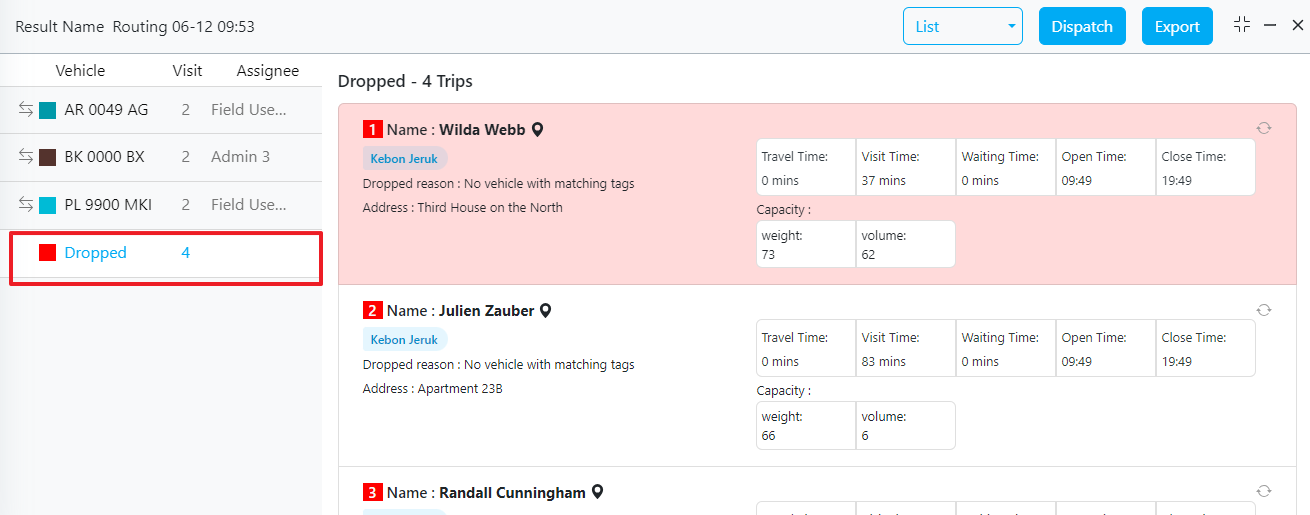
- The visit requires specific tags that none of the vehicles have. Ensure that the tags required for the visit are correctly assigned to at least one vehicle. Update either the visit’s requirements or the vehicle’s tags as needed.
Next Steps
After correcting the data issues, you can try rerouting the visit. Alternatively, you can manually move the visit from the Dropped list to a suitable vehicle.Best Practices for Avoiding Dropped Visits
- Validate Coordinates: Ensure all visit locations are accurately geocoded and validated for correctness.
- Optimize Capacity Utilization: Balance visit requirements with vehicle capacities to avoid overloading.
- Synchronize Time Windows: Align visit schedules with vehicle availability to ensure feasible routing.
- Tag Management: Maintain consistent and accurate tagging of both visits and vehicles to ensure compatibility.